11W FreeBSD NAS
I built a small FreeBSD NAS from an old mini PC and brought its average power consumption down to around 11 W.
Why not a Raspberry Pi?
I already had two 2 TB external SSDs, and at first I considered putting them behind a Raspberry Pi. FreeBSD runs on several Raspberry Pi models, and the low power draw is attractive for a server that stays on all day.
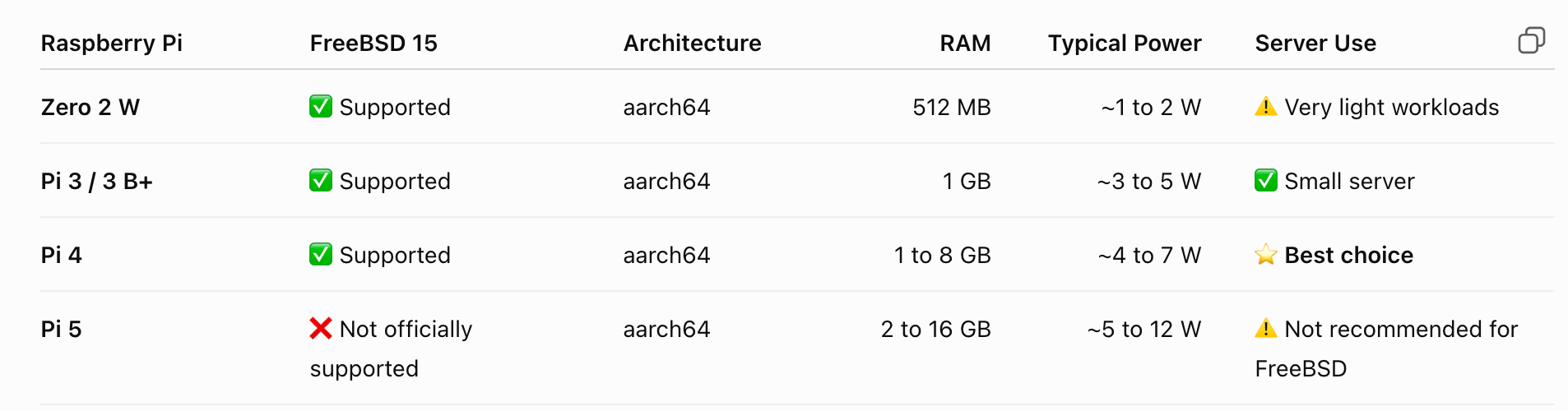
Raspberry Pi models that can run FreeBSD, compared by memory and typical power consumption.
The Pi 4 looked like the best fit, with typical consumption of roughly 4 to 7 W. Then I remembered that I already owned a Beelink SER5 5560U with an AMD Ryzen 5 5560U, integrated Radeon Vega graphics, and 16 GB of DDR4 RAM.
The FreeBSD NAS
FreeBSD 15 installed smoothly, including Samba and the other tools I needed. I connected both SSDs and created a mirrored ZFS pool.
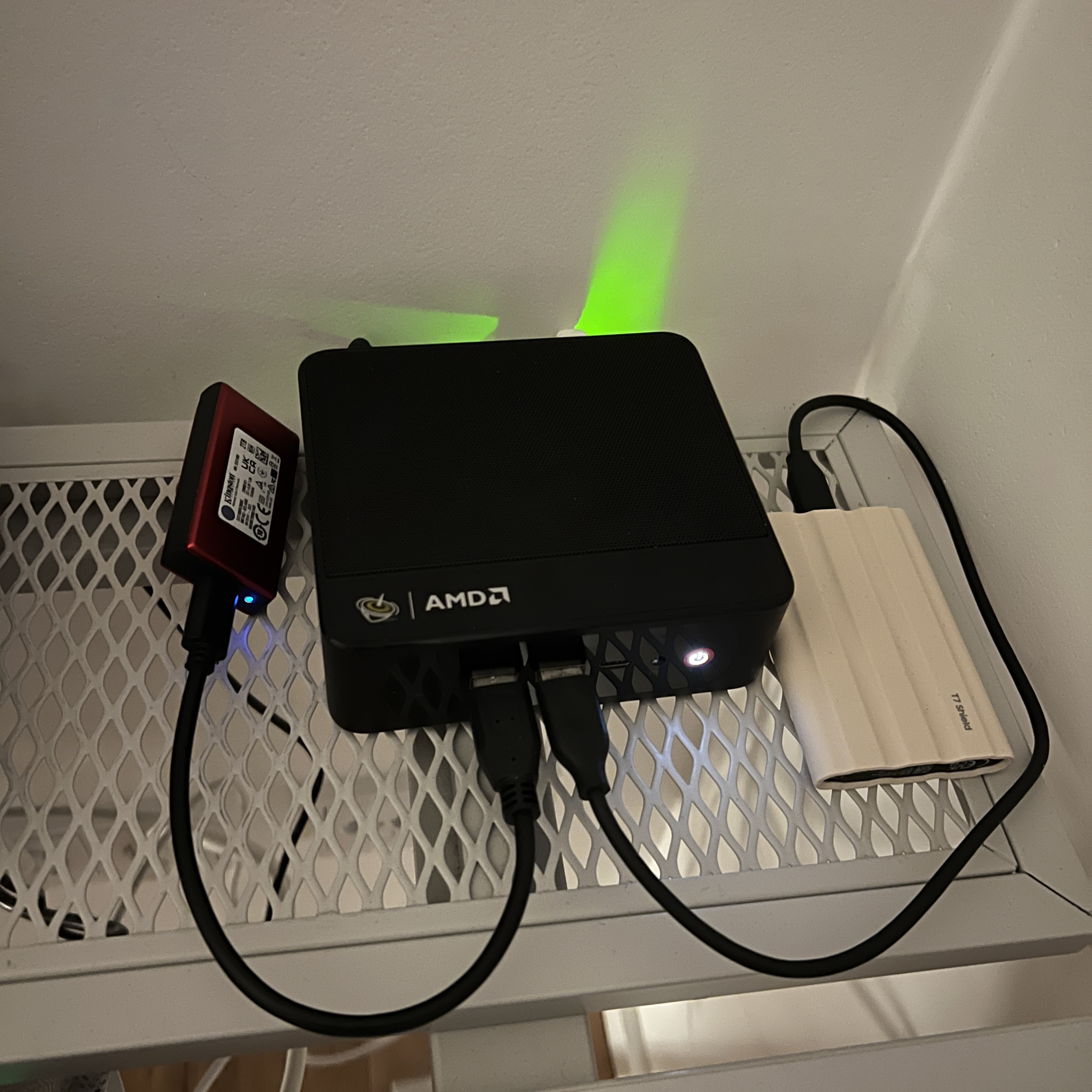
The compact mini PC I reused as the FreeBSD NAS.
With the default settings, the complete system used about 13 W. That was already reasonable, but I wanted to understand how much of that power was avoidable.
Cutting power consumption
With Codex, I analyzed the idle behavior of the machine and made a few small, reversible changes:
- Enabled deeper CPU idle states, using C3 instead of C1.
- Changed powerd to adaptive power-saving mode.
- Disabled unused Bluetooth, which was using about 0.5 W.
Afterward, the CPU spent around 35% of its idle time in C3 and usually stayed at its minimum frequency of 1600 MHz.
Those changes brought total consumption down to around 11 W on average. I also checked the BIOS, but did not find another setting that made a meaningful difference.
That is the idle and light-use figure. During active work, such as transferring files or using the CPU more heavily, power consumption increases to roughly twice as much.
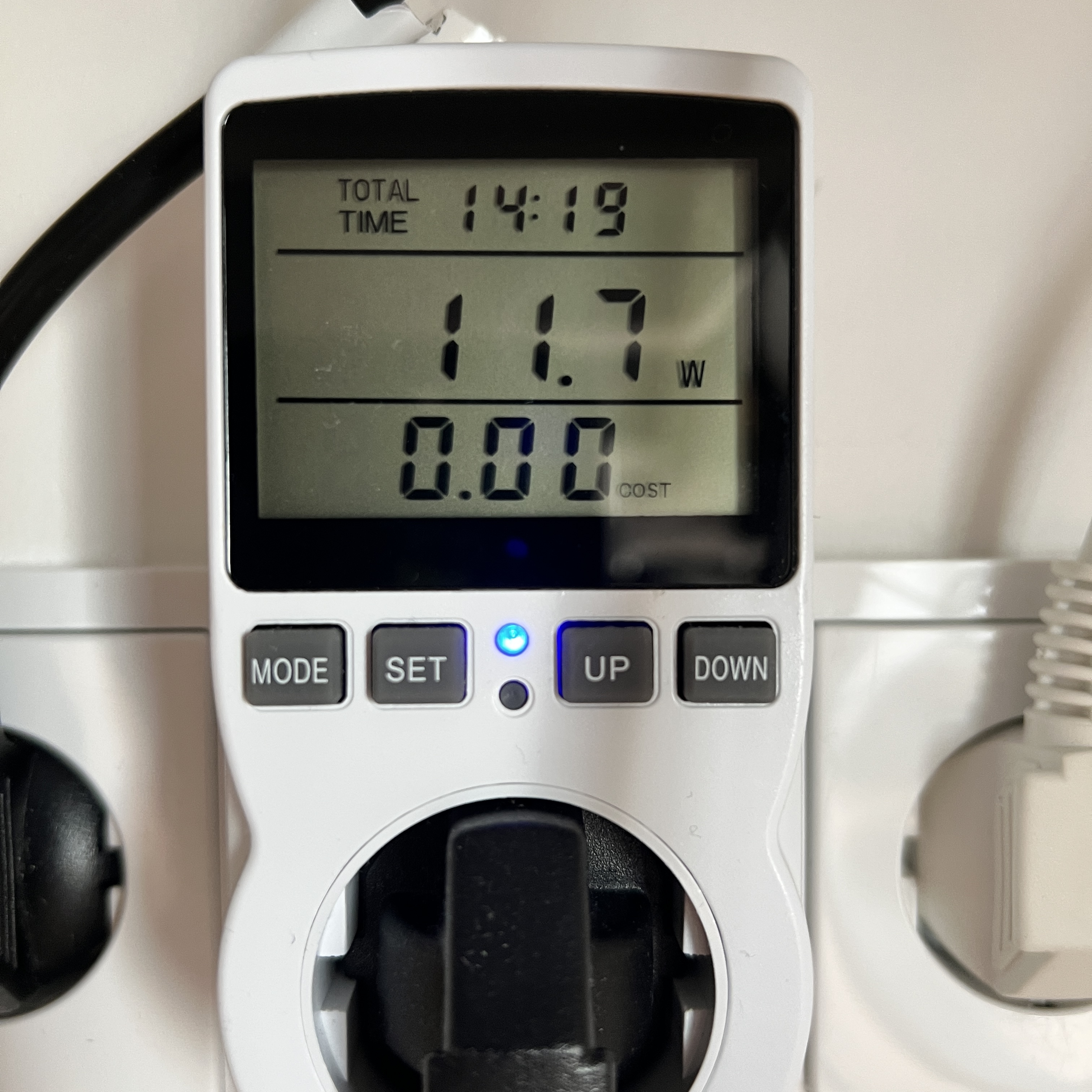
A long-running measurement showing 11.7 W at the wall during one test.
Better Finder integration
I access the NAS from Finder over smb://. In grid view, folders with many images used to pause while Finder waited for thumbnail-related metadata from the server.
Updating Samba from 4.20.8 to 4.23.8 and enabling smb3 directory leases = yes made browsing noticeably smoother. I also set readdir_attr:aapl_max_access = no to avoid calculating access permissions for every file, and set the minimum SMB protocol to SMB3_11.
The NAS workflow in the AsterWM file manager now has a UX similar to macOS.
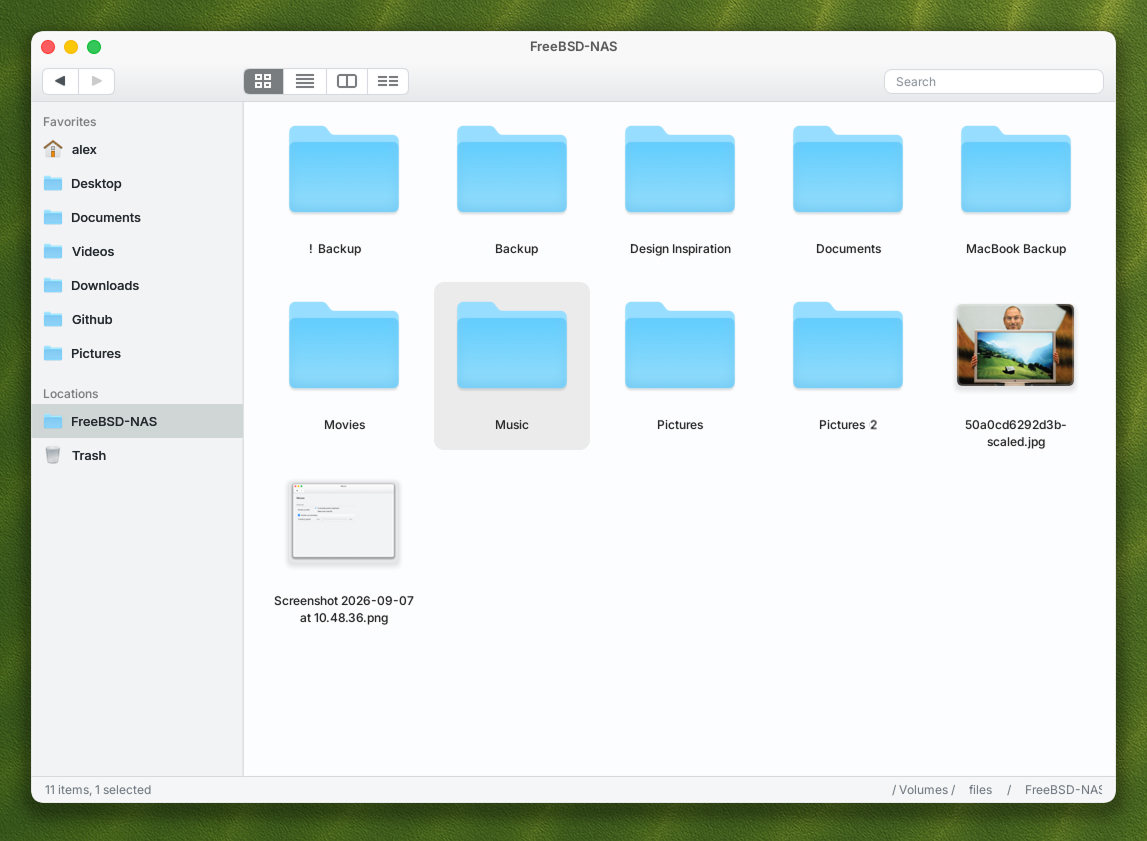
The NAS mounted in the AsterWM file manager.
The result
I reused hardware I already had, reduced idle power from about 13 W to about 11 W, and ended up with a simple FreeBSD NAS that works well with both macOS and AsterWM. There are still things I want to improve, but it already does exactly what I need.
What’s your take? I’d love to hear it.