I Built a FreeBSD Cloud to Use with FreeBSD
At the moment, I’m working on my own window manager for FreeBSD, called Asterwm. The goal is to make its UX similar to macOS, so I can switch from Mac to FreeBSD during the day without having to readjust my muscle memory.
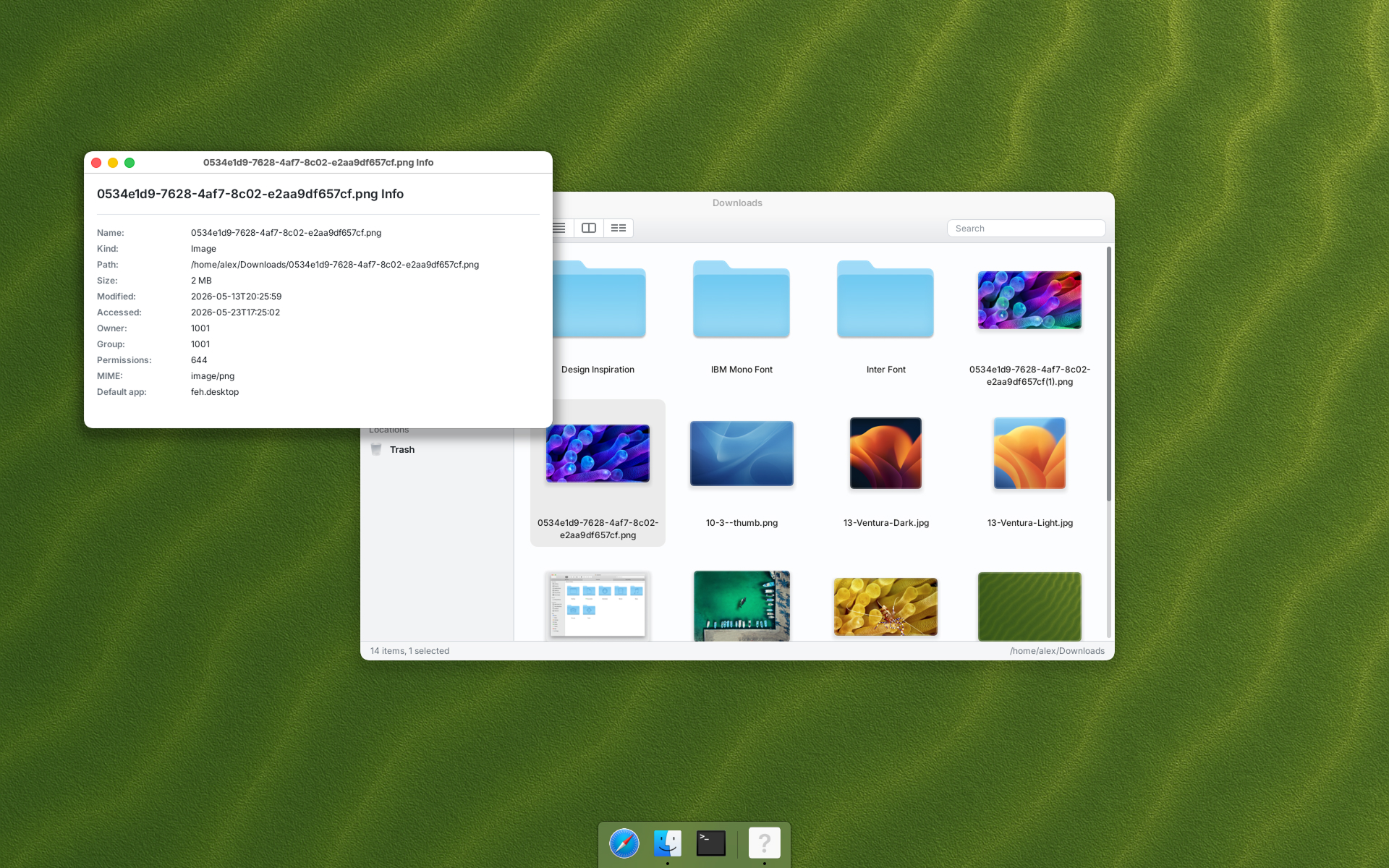
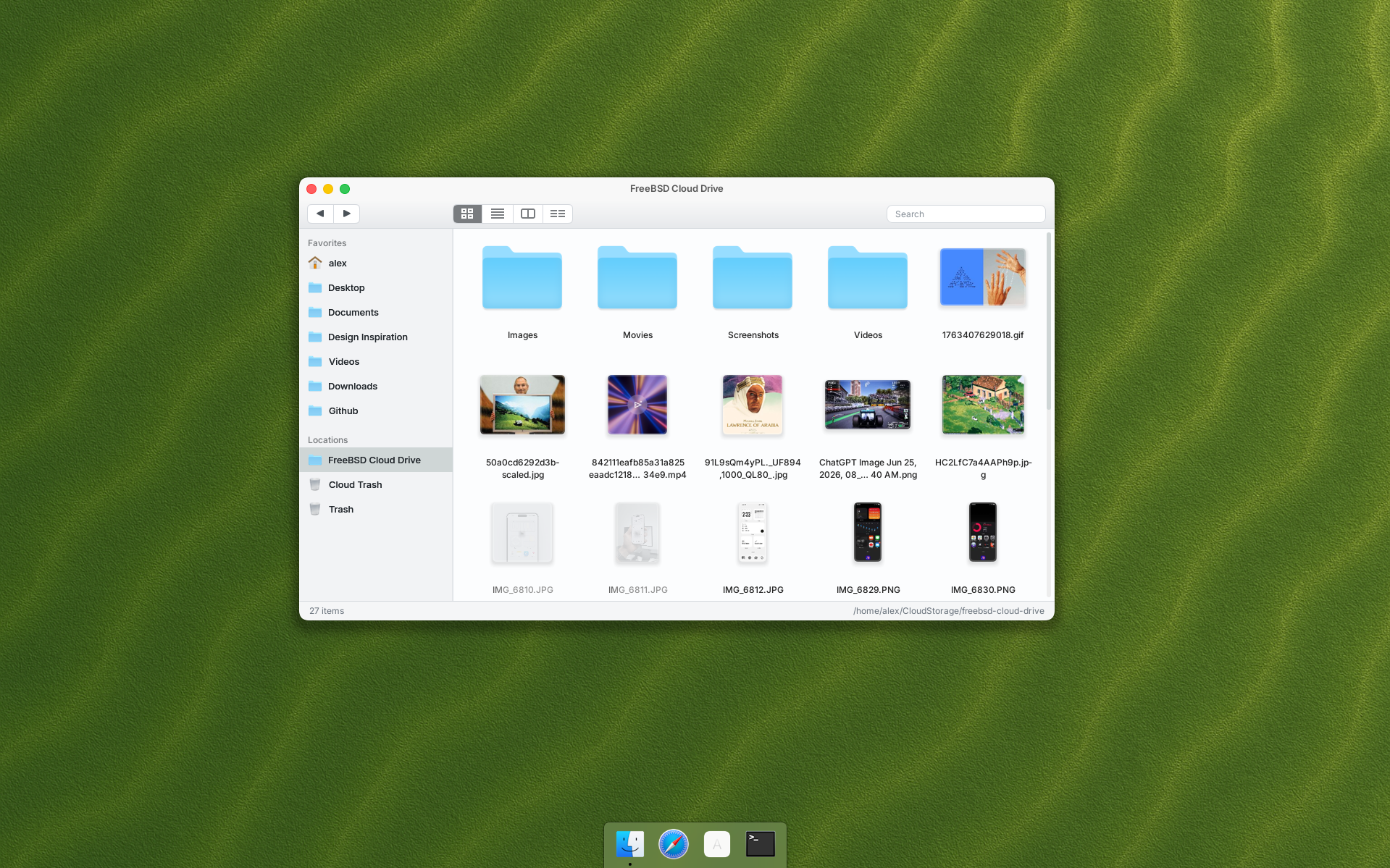
One of the most important things for me was being able to access both my work and personal files.
I know I could install ready-to-use software for Google Drive or something similar. But I decided to use the power of Codex to build my own cloud solution instead.
Technical Stack of the FreeBSD Cloud
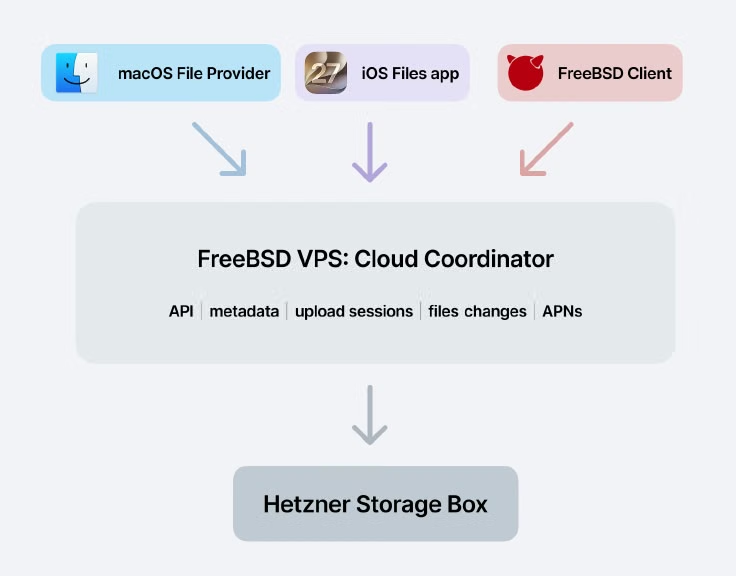
- A simple VPS running FreeBSD 15 to manage files, syncing, and related tasks.
- A Hetzner Storage Box, where the files are actually stored.
- macOS, iOS, and Asterwm clients to manage files in the cloud: sending, receiving, modifying, and deleting them.
Roles
Every file is stored in the Hetzner Storage Box, but no client can talk to that box directly. Each client connects to the VPS to send, receive, update, or delete files. The FreeBSD server keeps track of changes, records them in SQL, and sends files to the Storage Box.
At the same time, the VPS resolves sync conflicts and notifies every client about changes.
My Cloud Automation
Because I control every part of the cloud drive, I can also control its most interesting part: automation.
I made a folder called Upscale by AI, where I can drop any image file. The VPS runs a local 4xNomosWebPhoto_RealPLKSR model to upscale it while my main computer keeps running normally, without any extra load.
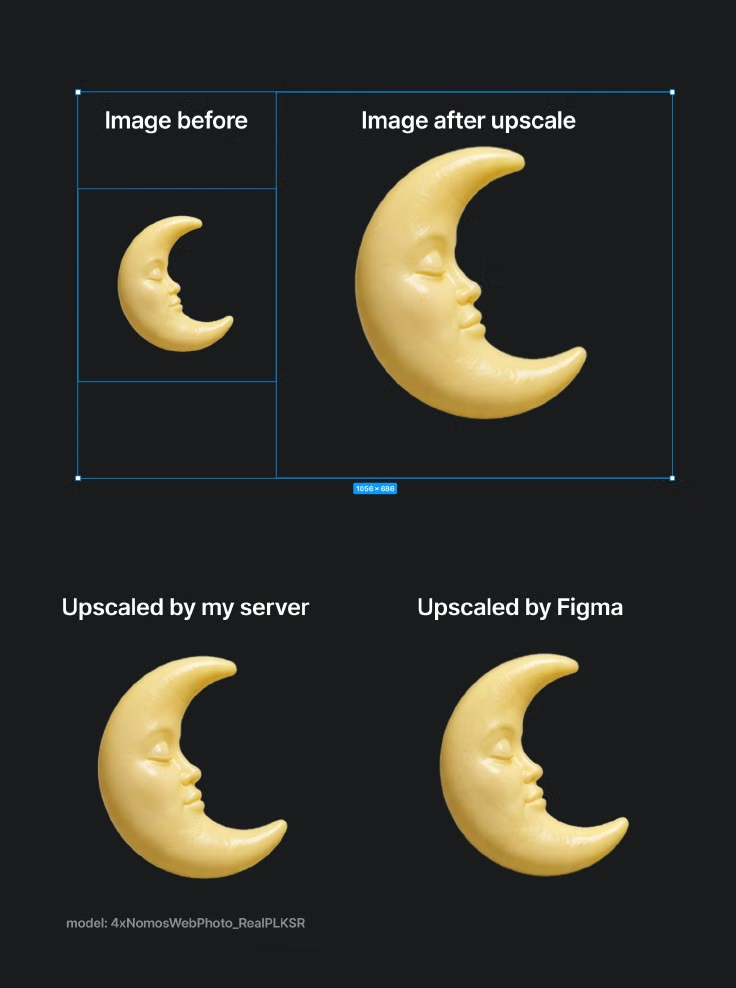
I set the model’s CPU priority to low, so it does not affect the server much. Usually I need an image upscaled, but I do not care whether it takes two minutes or 15—it is not an urgent task.
Another automated folder uses FFmpeg to convert any dropped video to MP4 at 80% quality. Again, all I need to do is drop a file into a folder. The FreeBSD Cloud client uploads it to the FreeBSD server, runs the conversion, and replaces the original file. I automatically get the converted version without putting any load on the client machine.
File Analysis by AI
At this point, I realized that I could run a local LLM to analyze small files and create additional metadata. Then, when I am looking for a specific file, I can find it quickly and accurately.
Not every file needs to be analyzed, of course. But text files, PDFs, images, videos, and similar files can benefit from it.
All analyzed data is stored alongside the file’s metadata. So if I am looking for a photo of a cat, I can find it without sending my personal data to big tech companies trying to get their dirty hands on my family photos. Haha.
Keep Local Storage Clean
I set the rule to keep most files on the server rather than locally. When a new file arrives, the server creates a ghost file for the client, along with a thumbnail for images and videos.
The client is then notified that the file exists and downloads only its name and thumbnail, not the file itself.
When I need the file, I just double-click it to start downloading.
At the same time, each client has an option to select folders that should always stay downloaded. All files in those folders are downloaded automatically and never removed from the local cache.
Unique Feature for Asterwm
In Asterwm I set it to download not 1, but 4 thumbnails for video files. So I can hover it to see what’s inside without even downloading the file.
All thumbnails generated once cached on the server, so if requested by other client, it will be existed already.
Cloud Trash
Each deleted file goes to the server’s Trash folder, so I can restore it within N days.
The best part is that I control how many days deleted files are kept. I can even set different automatic deletion periods for different folders.
Further Plans
Currently, I’m performing a smoke test. Before I can use it daily, I need to ensure that it works well without losing any data.
I also need to create a system that automatically sorts dropped files into subfolders.
What’s your take? I’d love to hear it.